
In this article:
- What Unito syncs from Salesforce
- Supported fields for Salesforce objects
- Additional features
- Other documentation
This article covers Unito’s new flow builder, available for selected Enterprise plans starting December 1st 2025. Contact us if you want these features enabled in your workspace.
For the classic flow builder, see this guide.
What Unito syncs from Salesforce
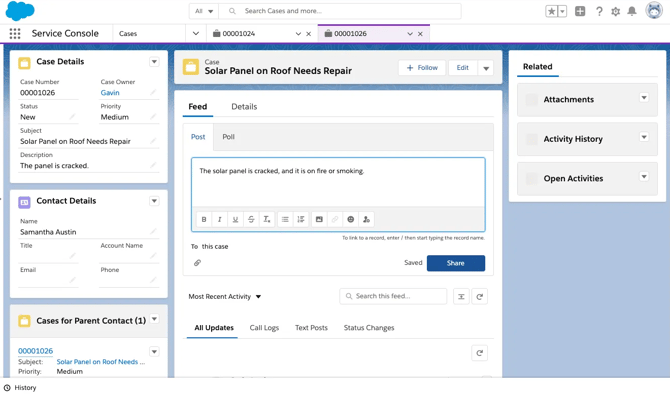
Unito syncs opportunities, accounts, cases, contacts, leads, tasks, and all other native and custom objects to any work item from any other tool (e.g., Jira work items, ServiceNow records, Smartsheet rows).
Supported fields for Salesforce objects
Unito supports most field types for all Salesforce objects. Here’s a list of the field types Unito supports in Salesforce:
- Number fields
- Text / string fields
- Picklists (single & multi select)
- Date fields (date only and datetime)
- User fields
- Boolean
- Reference
Some fields can only be synced in one direction, but for most field types, Unito can sync data bidirectionally.
Additional features
Unito’s Salesforce integration also supports the following features:
- Sub-tasks: Unito supports sub-tasks for all Salesforce objects that support tasks, cases, contacts, opportunities, opportunity line items, attachments, and comments as a child object.
- Copied attachments: Unito can copy attachments between Salesforce and other tools that support this type of attachment. You can learn more about this here.
- Lookups: Unito can sync lookups from Salesforce with other tools (including multi-object workflows, for example syncing an Account and its related Opportunities and Contacts in one flow)
- Hierarchies: Unito can sync multi-level relationships between connected Salesforce objects, keeping relationships intact across tools.
- Rich text: Unito can sync all rich text fields in Salesforce, preserving formatting. Rich text in comments isn’t supported.
Other documentation
Need to know more about this integration? Check out our documentation on: