
In this article:
- What Unito syncs from Microsoft Outlook
- Supported fields for Outlook contacts
- Supported fields for Outlook events
- Additional features
- Other documentation
What Unito syncs from Outlook
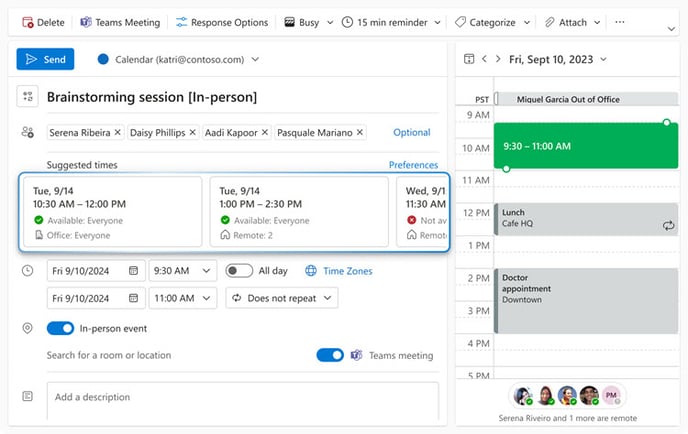
Unito syncs contacts and events from Microsoft Outlook by linking individual fields to items in other tools (e.g., Trello cards, Jira issues, ServiceNow records).
Supported fields for Outlook contacts
Unito supports 26 fields for Outlook contacts. Here’s a list of these fields as well as supported sync directions and rules.
Quick definitions:
- One-way: Changes in this field can be synced to the tool it’s integrated with, but changes in the other tool can’t be synced back.
- Two-way: Changes to this field will be synced to the tool it’s integrated with, and changes in the other tool will be synced back.
- Rules: This field can be used to build rules.
| Outlook Contact Fields | One-Way? | Two-Way? |
Rules? |
| Business address - city | ✔ | ✔ | |
| Business address - country or region | ✔ | ✔ | |
| Business address - postal code | ✔ | ✔ | |
| Business address - state | ✔ | ✔ | |
| Business address - street | ✔ | ✔ | |
| Business phone | ✔ | ✔ | |
| Category | ✔ | ✔ | ✔ |
| Company | ✔ | ✔ | |
| Department | ✔ | ✔ | |
| ✔ | ✔ | ||
| First name | ✔ | ✔ | |
| Home address - city | ✔ | ✔ | |
| Home address - country or region | ✔ | ✔ | |
| Home address - postal code | ✔ | ✔ | |
| Home address - state | ✔ | ✔ | |
| Home address - street | ✔ | ✔ | |
| Home phone | ✔ | ✔ | |
| Job title | ✔ | ✔ | |
| Last name | ✔ | ✔ | |
| Mobile phone | ✔ | ✔ | |
| Note | ✔ | ✔ | |
| Other address - city | ✔ | ✔ | |
| Other address - country or region | ✔ | ✔ | |
| Other address - postal code | ✔ | ✔ | |
| Other address - state | ✔ | ✔ | |
| Other address - street | ✔ | ✔ |
*The Category field is only supported when using Outlook's desktop app.
Supported fields for Outlook events
Unito supports 17 fields for Outlook events. Here’s a list of these fields as well as supported sync directions and rules.
Quick definitions:
- One-way: Changes in this field can be synced to the tool it’s integrated with, but changes in the other tool can’t be synced back.
- Two-way: Changes to this field will be synced to the tool it’s integrated with, and changes in the other tool will be synced back.
- Rules: This field can be used to build rules.
| Outlook Calendar Event Field | One-Way? | Two-Way? |
Rules? |
| Allow new time proposal | ✔ | ✔ | |
| Attendee | ✔ | ||
| Category | ✔ | ✔ | ✔ |
| Description | ✔ | ✔ | |
| End date and time | ✔ | ✔ | |
| Has attachment | ✔ | ||
| Hide attendees | ✔ | ✔ | |
| Importance | ✔ | ✔ | |
| Link to event | ✔ | ||
| Location | ✔ | ✔ | |
| Organizer | ✔ | ||
| Reminder before start | ✔ | ✔ | |
| Reminder on | ✔ | ✔ | |
| Sensitivity | ✔ | ✔ | ✔ |
| Start date and time | ✔ | ✔ | |
| Status | ✔ | ✔ | ✔ |
| Title | ✔ | ✔ |
Additional features
How Unito creates new Outlook events
When creating new events in Outlook to keep in sync with work items in other tools, Unito will use the Start Date, Start Time, End Date, and End Time to schedule the event. Note that the name of these fields might be a bit different depending on the tool you're using. Here's what you can expect, depending on which fields are available in the original tool and the fields you've mapped:
| Start Date | Start Time | End Date | End Time | What happens in Outlook |
| ✔ | Create an all-day event | |||
| ✔ | ✔ | Unito will determine the event end date and time based on your default meeting duration set in Outlook (usually an hour after) | ||
| ✔ | Create an all-day event | |||
| ✔ | ✔ | Unito will determine the event start date and time based on your default meeting duration set in Outlook (usually an hour before) | ||
| ✔ | ✔ |
Create an all-day event if the start date and the end date are on the same day |
Other documentation
Need to know more about this integration? Check out our documentation on: