
In this article:
What is item matching?
Item matching allows Unito to identify and sync existing work items in another tool instead of creating duplicates. When a new item enters the flow, Unito checks the destination tool for an existing item that meets the matching criteria you’ve defined. If a match is found, the two items are linked and kept in sync as a single entity.
This is useful when multiple tools contain records representing the same work, customer, asset, or entity. Matching prevents parallel versions of the same item and keeps systems aligned.
Matching modes in Unito
Unito supports three matching modes, each controlling how new items are handled.
Create only
Unito always creates a new item in the destination tool.
No matching is attempted.
Best for: brand-new work creation, intake workflows.
Match then create
Unito checks for an existing item first.
- If match exists → sync it
- If no match → create a new item
Best for: cases where duplicate prevention is important but new items still need to be created.
Match only
Unito matches items only when an existing counterpart is found. No new items will ever be created.
Best for:
- Users
- Customers/Accounts (system of record)
- Reference/lookup lists
- Anything that must pre-exist
Where to configure item matching
Tool selection page
Some matching behavior is controlled directly on the Tool Selection page, where you define:
- Tool pairings
- Work item types
- Flow direction
For certain work item types, Unito exposes a Match Only option directly here. This is shown as an equals (=) symbol.
Some work item types are read-only or system-of-record items. They cannot be created through the API (for example, users). In these cases, Unito disables creation and only allows matching. This is why directional arrows may be greyed out or disabled.
Important: The options available on this page determine what will appear on the next page. If you select Match Only here, then on the Rules page, matching is required, not optional.
Rules page
Once you’ve defined the flow direction on the Tool Selection page, the Rules page exposes additional matching options.
Here you’ll find:
- The “check if it exists” toggle
- Match keys
- Filters
- Source of truth selection (depending on mode)
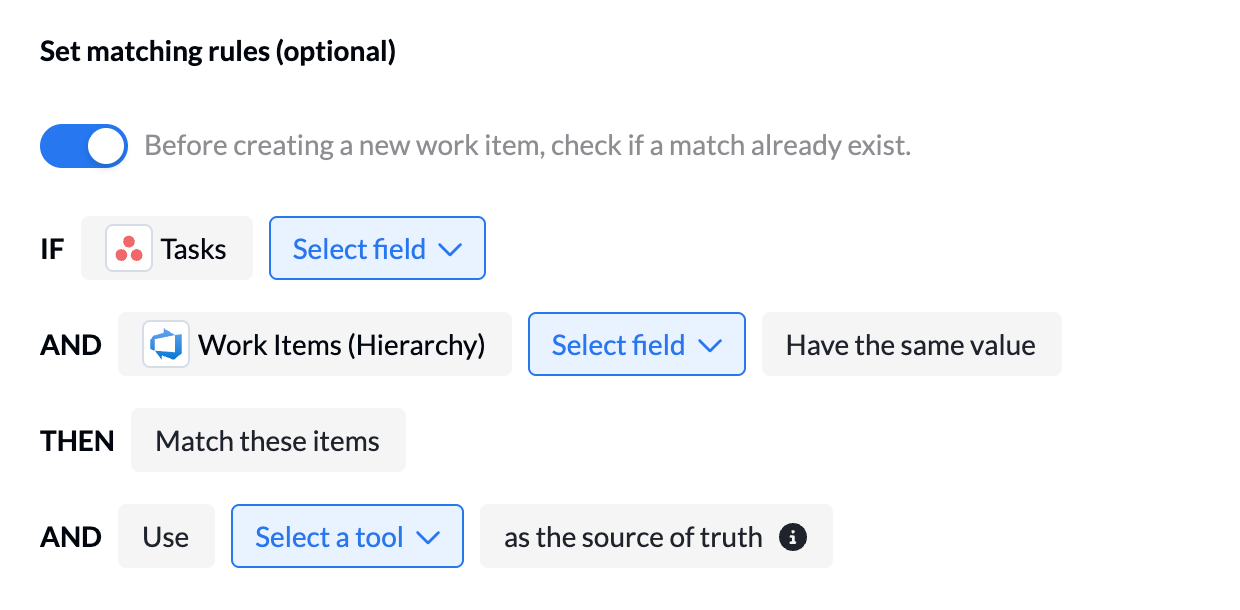
When flow direction includes creation (one-way or two-way):
The Rules page offers the option to toggle on or off: “Before creating a new item, check if a matching existing item exists.”
When this toggle is ON:
- If match found → link items
- If no match → create new item
Match keys become required and a source of truth must be selected so Unito knows which side can update existing content.
When “Match Only” was selected earlier:
- Matching is mandatory
- Match keys are required
- No new items will be created
- No source of truth is needed, because no overwriting can occur
N.B. Matching requires an exact, case-sensitive match between values.